User-friendly DNS and DHCP server offering caching, automated zone transfers, and robust domain management
User-friendly DNS and DHCP server offering caching, automated zone transfers, and robust domain management
Vote (3 votes)
Program license Trial version
Developer Jhsoft
Version 4.00.07
Works under Windows
Vote
(3 votes)
Developer
Jhsoft
Works under
Windows
Program license
Trial version
Version
4.00.07
Pros
- Comprehensive, user-friendly DNS management interface
- Automated zone transfers and real-time updates
- Efficient DNS caching for faster browsing
- High compatibility with standard DNS servers
- Role flexibility as primary or secondary DNS server
Cons
- Primarily focused on Windows, limiting cross-platform deployment
- Advanced features may require some technical knowledge
- No built-in cloud integration for remote management
Comprehensive DNS server solution for Windows with powerful management tools.
Core Features and Functionality
Simple DNS Plus is a dedicated DNS server software designed for Windows platforms, targeting users who require flexible domain name management and streamlined DNS hosting. The software provides a graphical interface tailored for administrators, making complex DNS configurations more accessible without the need for command-line operations.
Managing multiple domains becomes efficient through the intuitive Record Editor, which allows for quick creation, editing, and removal of resource records, zones, and subdomains. Zone management is enhanced by automated notifications and transfers, reducing manual intervention and ensuring consistent DNS data across all configured servers.
Performance and Reliability
Speed is a notable advantage, thanks to built-in DNS caching. By retaining previously requested DNS records for both individual machines and local networks, Simple DNS Plus reduces lookup times and network traffic, streamlining internet connectivity especially in environments with frequent DNS requests.
The software adheres strictly to DNS standards specified in RFCs, ensuring a high level of compatibility with other industry-standard DNS server solutions. This allows it to efficiently operate as either a primary or secondary DNS server, with the secondary ("slave") mode supporting automatic zone transfers and updates. Changes made on the primary server initiate zone transfers instantly, keeping all secondary servers up-to-date without additional input.
Automation and Compatibility
A standout feature is the comprehensive automation which simplifies traditionally labor-intensive DNS tasks. Zone creation, deletion, and record modifications are immediately reflected across all associated servers. In secondary DNS configurations, the software autonomously monitors and fetches updates from the primary server.
Simple DNS Plus integrates well within diverse network environments. Whether operating as the primary authoritative DNS or as a secondary backup, the application ensures low downtime and robust redundancy.
User Experience and Interface
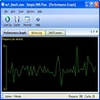
Simple DNS Plus is recognized for its user-friendly dashboard, enabling even less experienced administrators to manage DNS settings effectively. The clear visual layout, built-in wizards, and context-sensitive help further support a less steep learning curve compared to more complex DNS solutions.
Monitoring and logging tools are available within the interface, offering real-time insights into server activity, DNS queries, and potential errors. This supports proactive management and security oversight.
Use Cases and Suitability
For power users, small businesses, or educational institutions hosting websites or internal services, Simple DNS Plus provides granular control over DNS without relying on external providers. Its comprehensive cache also benefits home network users seeking improved browsing speeds. Advanced administrators will appreciate its robust support for DNS features like custom zones, forwarding, and conditional resolving.
Pros
- Comprehensive, user-friendly DNS management interface
- Automated zone transfers and real-time updates
- Efficient DNS caching for faster browsing
- High compatibility with standard DNS servers
- Role flexibility as primary or secondary DNS server
Cons
- Primarily focused on Windows, limiting cross-platform deployment
- Advanced features may require some technical knowledge
- No built-in cloud integration for remote management